A stocktake sheet you can actually use.
Download an Excel workbook for a small-shop stock count. It includes a blank count sheet, a clearly labelled worked example, and instructions. Enter expected and counted quantities to calculate the difference before reviewing a stock adjustment.
XLSX · 50 prepared rows · Worked example included · No signup required
What is included in the workbook?
The workbook has product identifiers, units, expected quantity, counted quantity, calculated difference, and a reason field. The blank sheet has 50 prepared rows; a separate example shows a shortage, surplus and matching count. Blank counts stay blank so an uncounted item is not mistaken for zero stock.
How the workflow fits together
- 01
Download and save your own copy
Open the XLSX file in a spreadsheet application. Read Instructions and inspect the Example sheet, then use Stocktake for your count. Save a copy with the store and count date before entering records.
- 02
Enter products and expected stock
Add the product’s SKU, name and unit, along with the expected quantity at your cutoff. Use the same product identifiers and units as your inventory records. The file contains no real customer or business data.
- 03
Count and investigate
Enter a physical count for every item counted, including 0 if none are found. Leave an uncounted item blank. The difference is counted minus expected; add a reason after investigating the result.
- 04
Review before updating inventory
The workbook is a count aid, not an automatic import or stock updater. Review differences and record the appropriate adjustments in StockHale. Keep your original count file and movement references.
How the difference column behaves
Illustrative sample matching the included workbook example.
| Item | Expected | Counted | Difference |
|---|---|---|---|
| Mug | 20 | 18 | −2 |
| Notebook | 10 | 12 | +2 |
| Tote bag | 8 | 8 | 0 |
| Not yet counted | 5 | Blank | Blank |
Review the resulting stock record
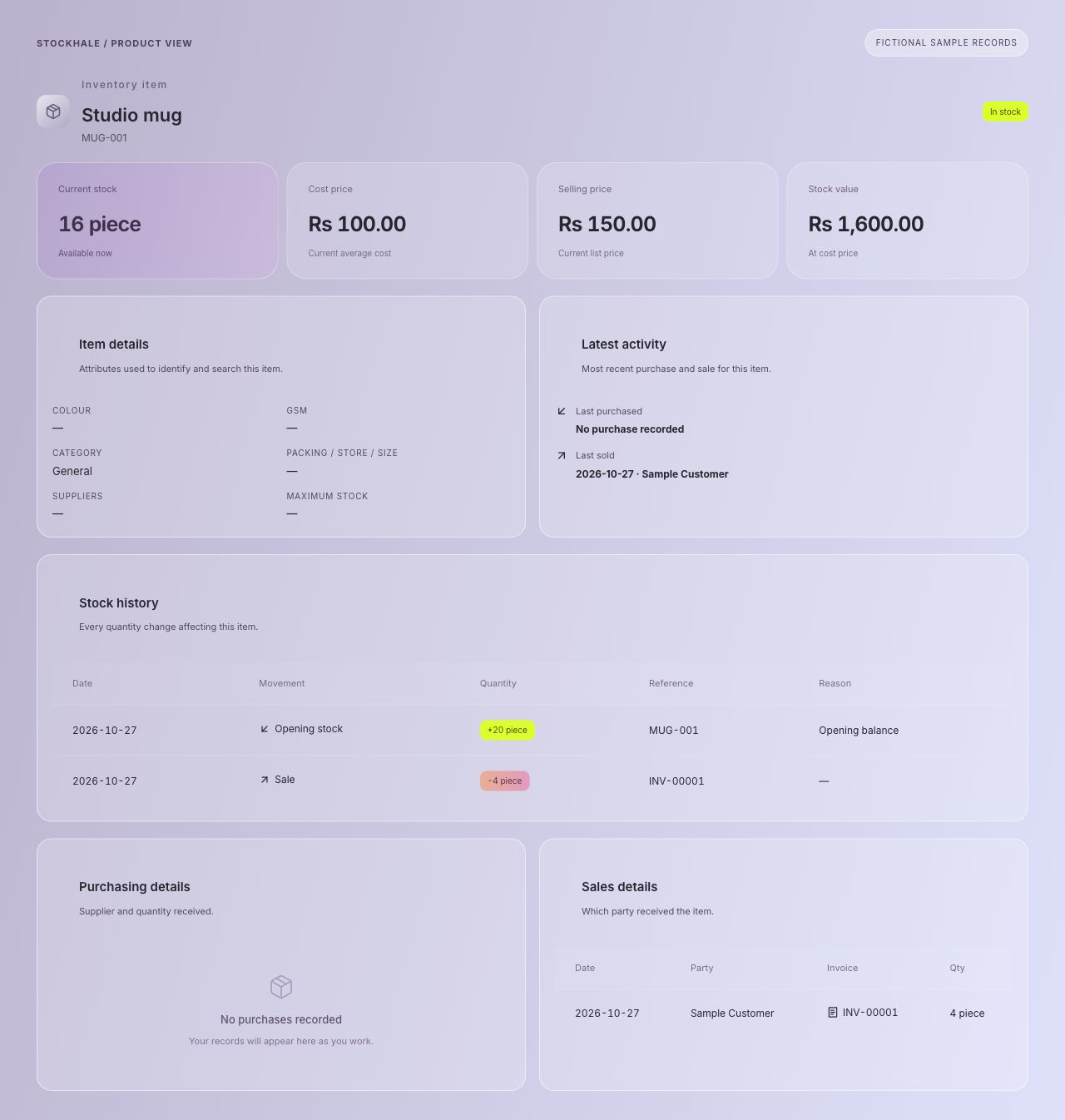
Check the details that matter.
- The workbook is free to download and does not require a StockHale account.
- It uses quantity differences only; quantities in different units should not be added into a meaningless grand total.
- The file does not connect to your workspace or import stock changes.
- Keep formula cells intact and verify any extra rows you add beyond the prepared area.
A few useful distinctions.
Do I need to sign up to download it?
No. The XLSX download is directly available without creating a StockHale account.
Will it update StockHale automatically?
No. Use it to count and review. Record approved changes through the app’s stock adjustment or appropriate transaction-correction workflow.