Close the shop with the cash drawer explained.
StockHale’s daily closing brings expected physical cash, the amount you count, and any variance into one workflow. Review the day’s entries before closing the date, with controlled reopening when a correction is needed.
What belongs in the physical cash count?
Count physical drawer cash only. The expected amount comes from recorded cash receipts and cash payouts, including the appropriate opening balance. Bank, wallet, cheque, and unpaid credit amounts are not cash in the drawer. Compare those records through their own balances and evidence rather than adding them to the physical count.
How the workflow fits together
- 01
Review the day’s records
Confirm posted bills, cash collections, purchases, expenses, contributions and drawings for the date. Check that the payment method matches the actual movement of money.
- 02
Count physical cash
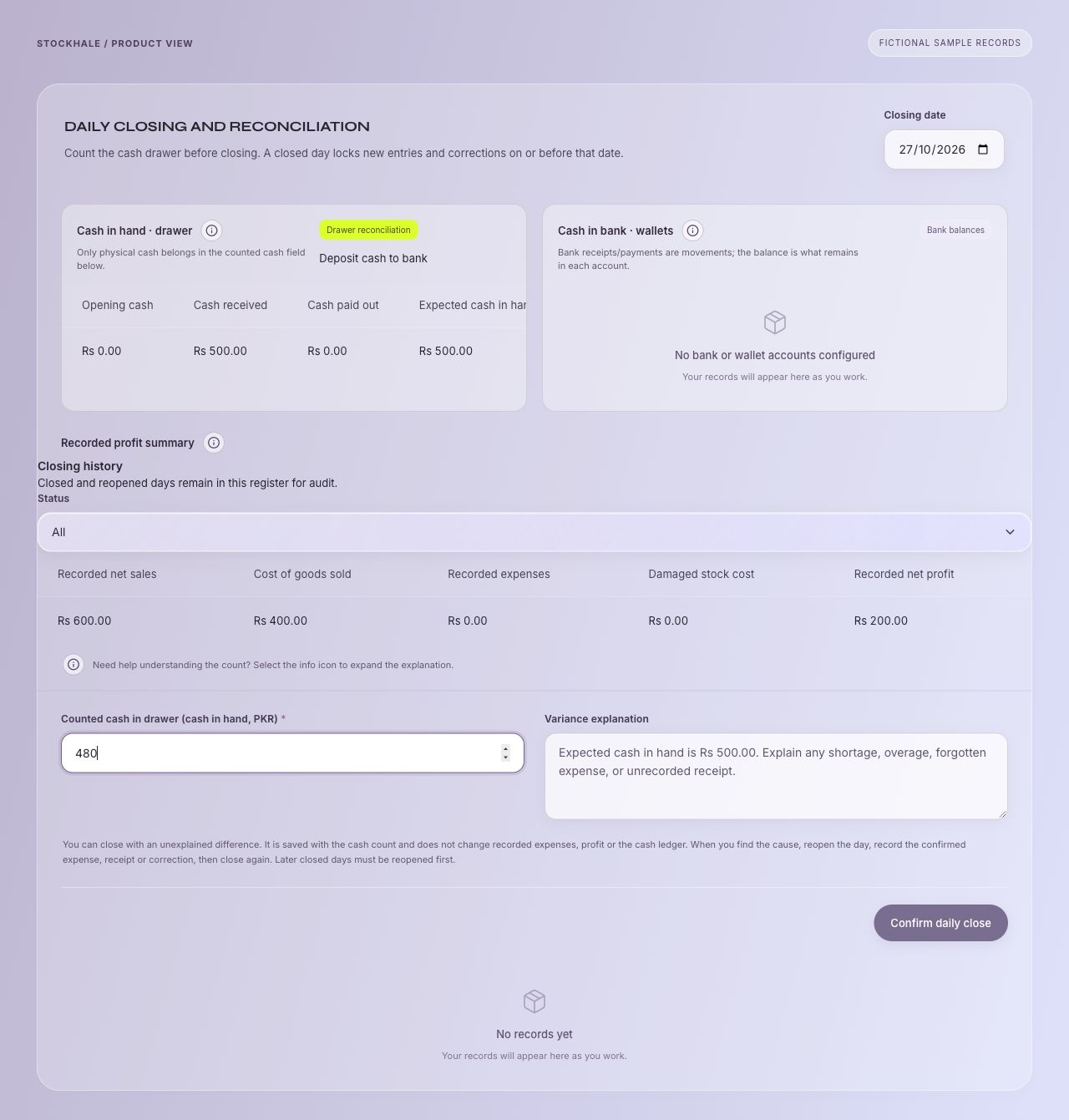
Open Closing and choose the business date. Count the cash in the drawer, keeping bank and other non-cash balances separate. Enter the counted amount and compare it with the expected cash shown.
- 03
Review any variance
A shortage or overage is the difference between counted and expected cash. Recheck the physical count and dated entries. Record a meaningful explanation or follow the available unexplained-variance review before completing the close.
- 04
Close the date deliberately
A closed day locks new entries and corrections on or before that date. Where correction is necessary, the owner-controlled reopening flow requires the owner password and a reason. Review the impact before closing again.
An example drawer close
Illustrative sample only. Amounts are PKR; these are not measurements of a real shop.
| Cash item | Amount |
|---|---|
| Opening cash | 1,000 |
| Cash received | +600 |
| Cash paid out | −200 |
| Expected drawer cash | 1,400 |
| Physical count | 1,380 |
| Variance: counted minus expected | −20 shortage |
See the product workflow
Check the details that matter.
- Do not treat the day’s sales total as the drawer cash balance.
- Keep bank deposits, credit sales, cheques and wallet balances separate from the physical count.
- Investigate differences before closing the date.
- Understand the date lock and owner reopening controls before completing a close.
A few useful distinctions.
Does this automatically reconcile a bank feed?
No bank-feed matching is promised here. This workflow compares recorded cash with the physical drawer count; bank balances and supporting records require their own review.
Can staff reopen a completed close?
Reopening uses an owner-controlled flow with the owner password and a reason. The date lock is intended to prevent casual changes to completed periods.