Set a low-stock level that fits the item.
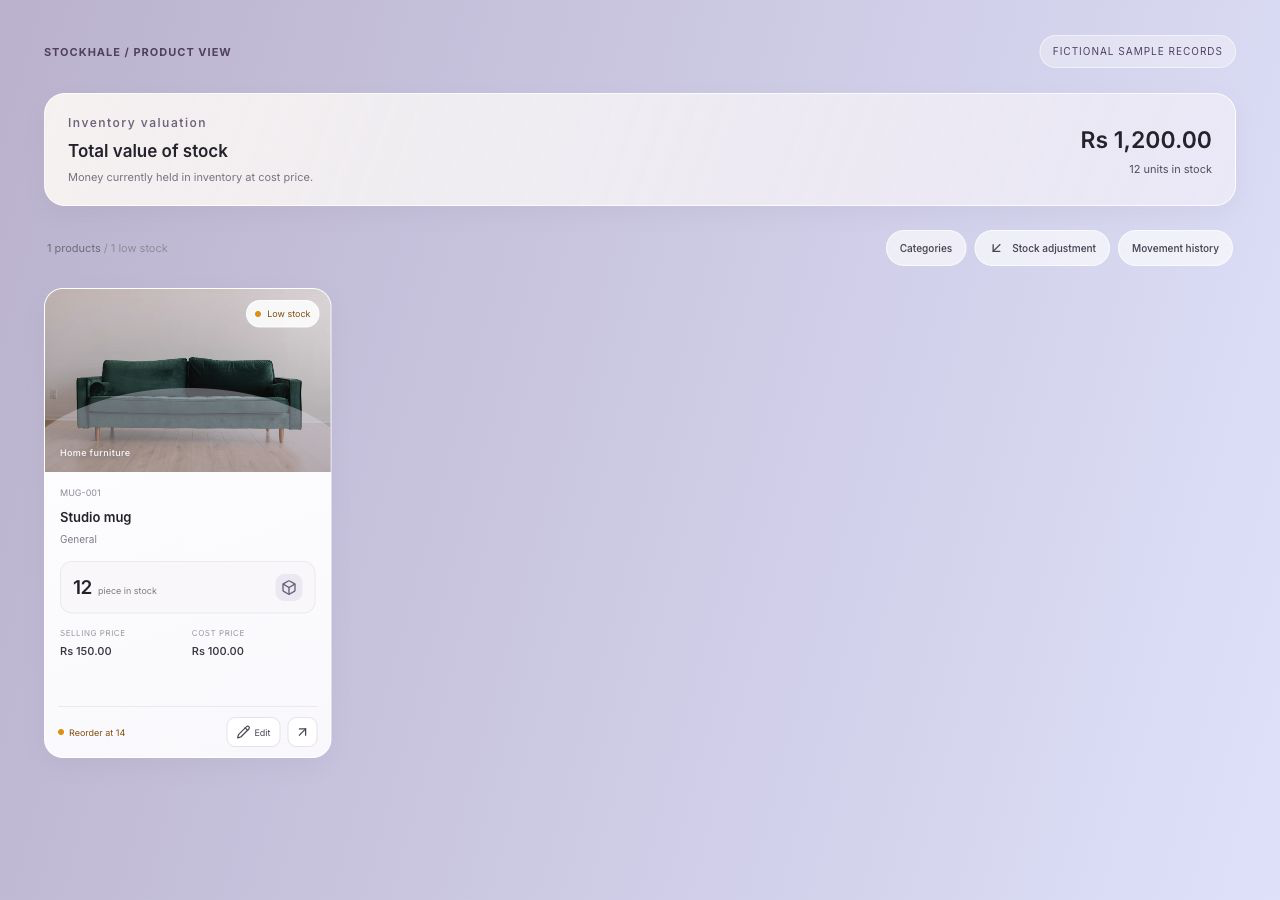
A low-stock threshold is a prompt to review an item before the shelf is empty. StockHale compares current quantity with the threshold you enter on the product, helping you identify products that need attention.
How can you choose a starting threshold?
A useful starting estimate is expected sales while waiting for the supplier, plus a buffer for uncertainty. Use your own records and lead times. This is a planning example, not a forecasting feature: StockHale lets you set the threshold and shows low-stock status; you still decide what and when to reorder.
Step by step
- 01
Review sales and supplier timing
Look at recent product activity and how long replenishment usually takes. Seasonal changes, uneven sales and minimum order sizes may mean a simple average is not enough.
- 02
Choose an initial level
Estimate the quantity needed during the delivery wait and add an appropriate buffer. Work in the same unit used for the product. Treat the estimate as a starting point to review, rather than a fixed promise against shortages.
- 03
Save and review the threshold
Edit the product’s low-stock threshold in Inventory. Review products marked Low stock and check the supplier details before arranging replenishment. StockHale marks quantity at or below the entered threshold as low.
- 04
Adjust as the shop changes
Compare your threshold with actual sales and delivery times. Raise or lower it when the assumptions change. Record arriving goods through Purchases so the stock record reflects the delivery.
A starting level for one product
Illustrative arithmetic, not a forecast or automatic StockHale calculation.
| Assumption | Example |
|---|---|
| Average sales per day | 2 pieces |
| Supplier lead time | 5 days |
| Sales during the wait | 2 × 5 = 10 pieces |
| Chosen buffer | 4 pieces |
| Initial threshold to review | 14 pieces |
See the product workflow
Check the details that matter.
- Use an item-specific threshold and the correct unit.
- Do not confuse a low-stock status with an automatic supplier order.
- Allow for delivery uncertainty and changing demand.
- Review the actual product record before placing a replenishment order.
A few useful distinctions.
Does StockHale automatically place a purchase order?
This guide describes the existing threshold and low-stock view. Automatic supplier ordering or email alerts are not claimed.
Is low stock the same as out of stock?
No. Low stock means the recorded quantity is at or below your threshold. The item may still have units available.